Where W▲F meets .config
One config decides what gets through. Doorman enforces the same rules on Vercel Firewall, Cloudflare WAF, Fastly Next‑Gen WAF, and Google Cloud Armor.
npm install -g @gfargo/doorman
System status: ● Operational · Doorman v3.15.4
Illustrative requests, not a live feed. Real output is in the commands below.
One rule. Four providers.
doorman is the source of truth. Vercel gets the rule as-is. Cloudflare gets a Wirefilter expression. Fastly gets a Next-Gen WAF rule. GCP gets a CEL expression.
Vercel
Firewall
{
  "id": "rule_block_bad_bots",
  "conditionGroup": [{
    "conditions": [
      { "type": "user_agent", "op": "sub", "value": "bot" }
    ]
  }],
  "action": { "mitigate": { "action": "deny" } }
}
Cloudflare
WAF
{
  "expression":
    "http.user_agent
    contains \"bot\"",
  "action": "block"
}
Fastly
Next‑Gen WAF
// translated, no wildcard needed
{
  "description": "Block Bad Bots",
  "conditions": [
    { "type": "single", "field": "user_agent",
      "operator": "contains", "value": "bot" }
  ],
  "actions": [{ "type": "block" }]
}
GCP
Cloud Armor
// CEL requires a has() guard before
// reading any header field
{
  "match": { "expr": {
    "expression":
      "has(request.headers[
      'user-agent']) &&
      request.headers[
      'user-agent']
      .contains('bot')"
  }},
  "action": "deny(403)"
}What doorman does
Manages Vercel, Cloudflare, Fastly, and Google Cloud Armor firewall rules as version-controlled config: define a rule once, sync it to whichever provider you run, review changes before they ship.
Sync to your provider
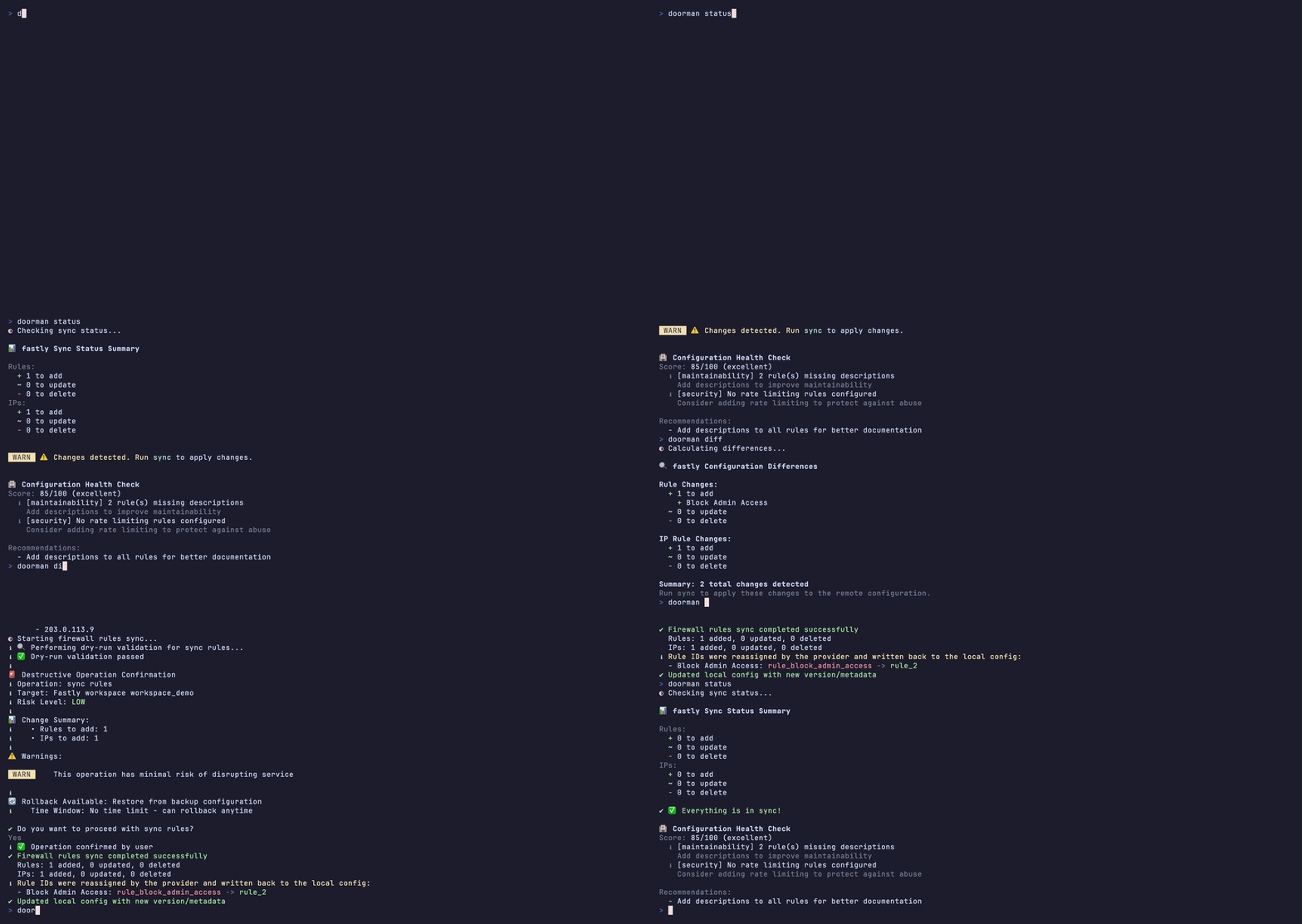
The same status, diff, and sync workflow, pointed at Fastly Next‑Gen WAF. Fastly gets a Next‑Gen WAF rule, translated automatically from the same rule.
npx @gfargo/doorman sync --provider fastly
Add rules interactively
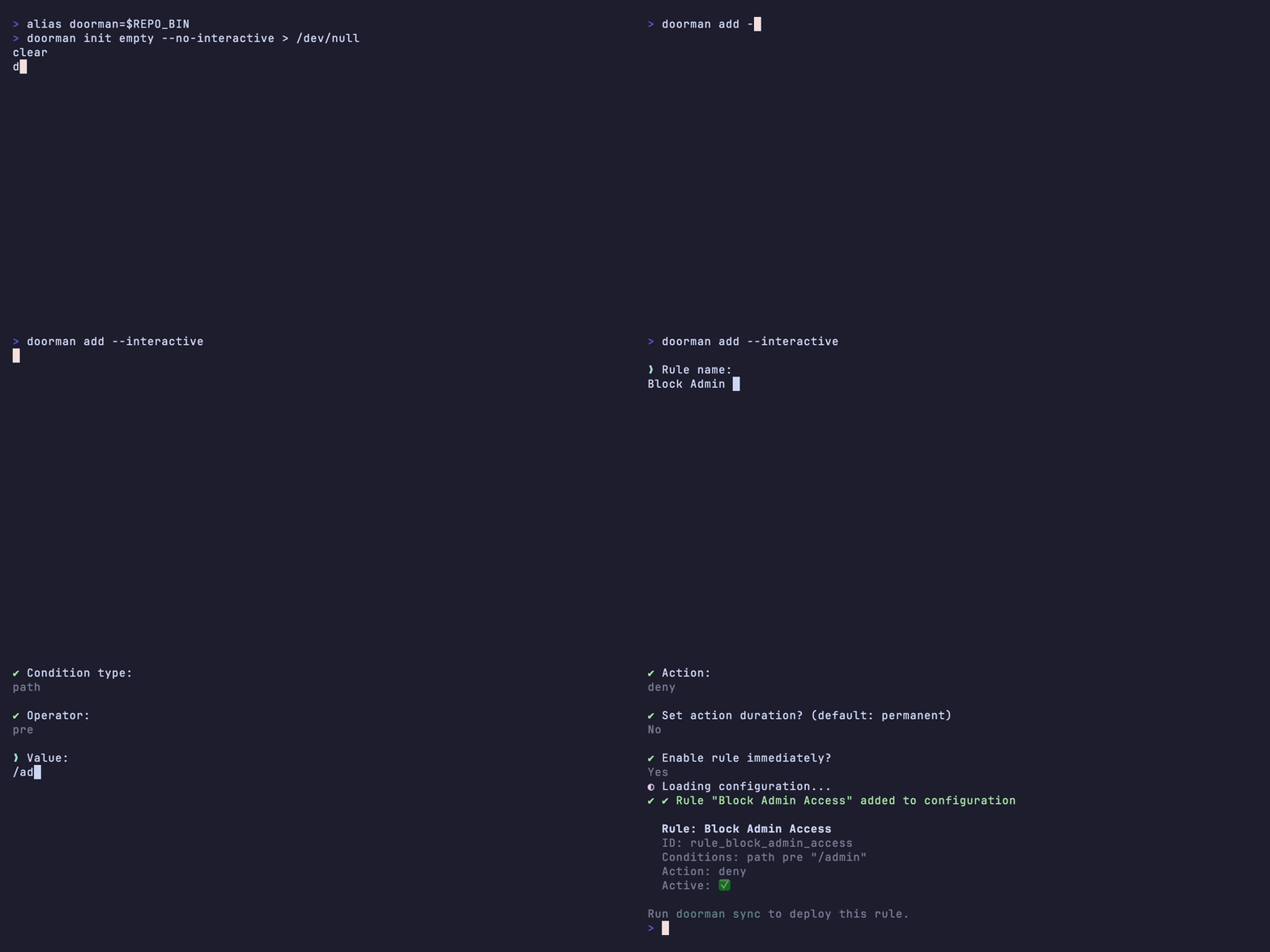
Answer a few prompts, doorman writes the rule. Name it, pick a condition, set the match, choose an action. No hand-editing .doorman.json required.
npx @gfargo/doorman add --interactive
Download configs
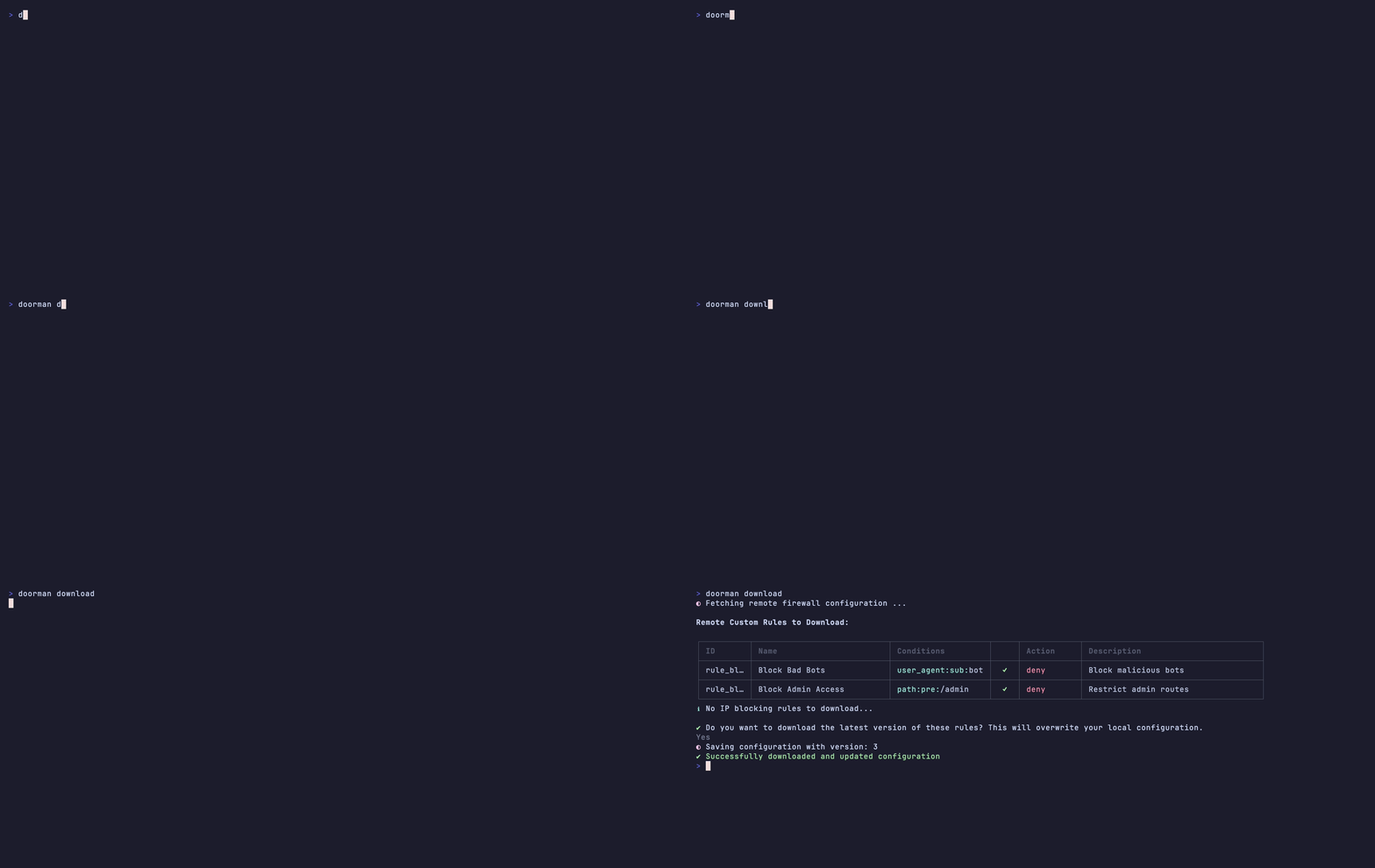
Export deployed rules from each provider into versioned config files. Keep Vercel, Cloudflare, and Fastly in lockstep with Git history.
npx @gfargo/doorman download
List rules & IPs
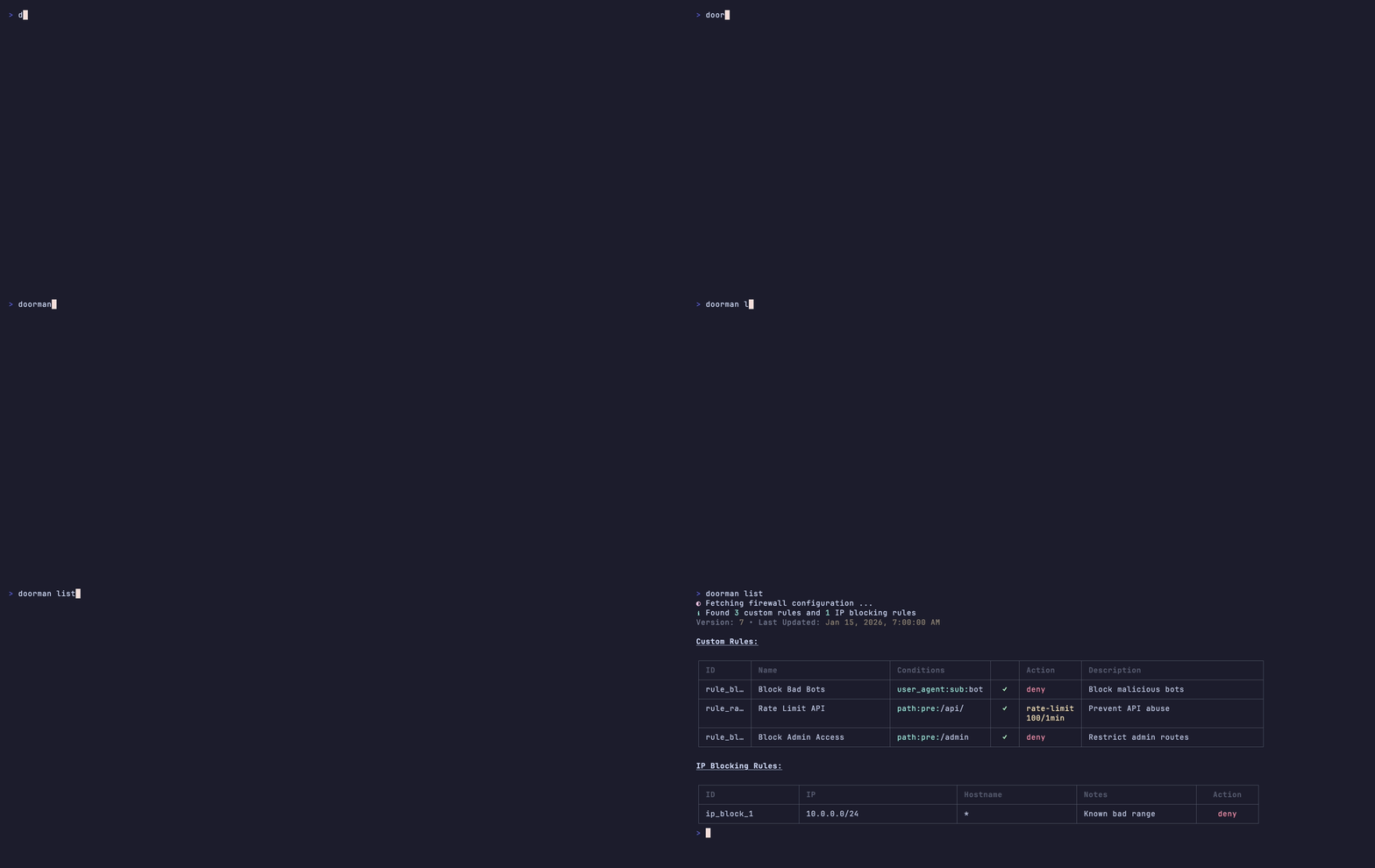
Inspect deployed policies with human-friendly tables or JSON. Filter by provider, environment, and rule group in seconds.
npx @gfargo/doorman list
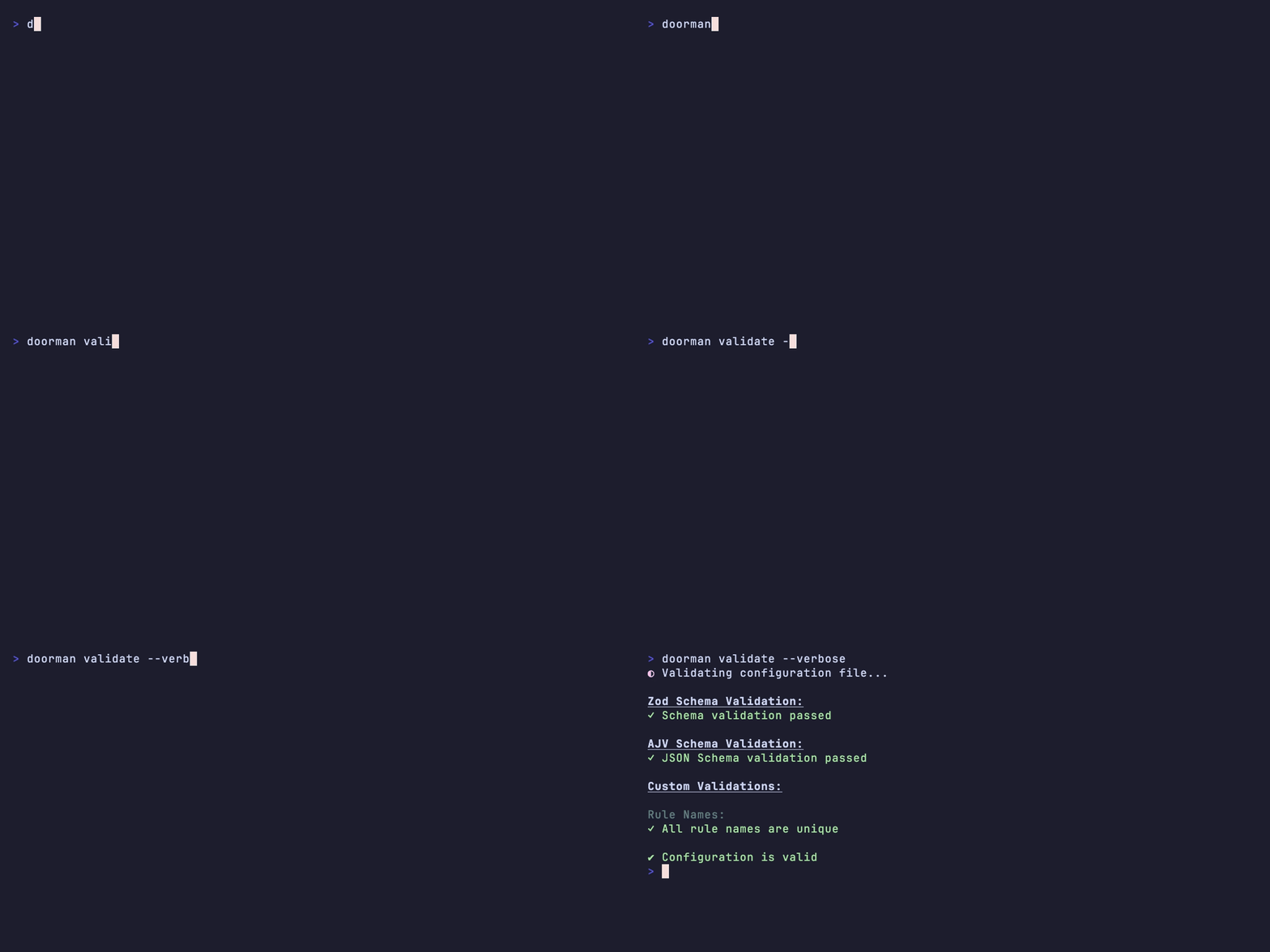
Validate rules
Validate rule syntax and provider-specific constraints before deployment. Every provider accepts the result before you deploy.
npx @gfargo/doorman validate
Start from a template
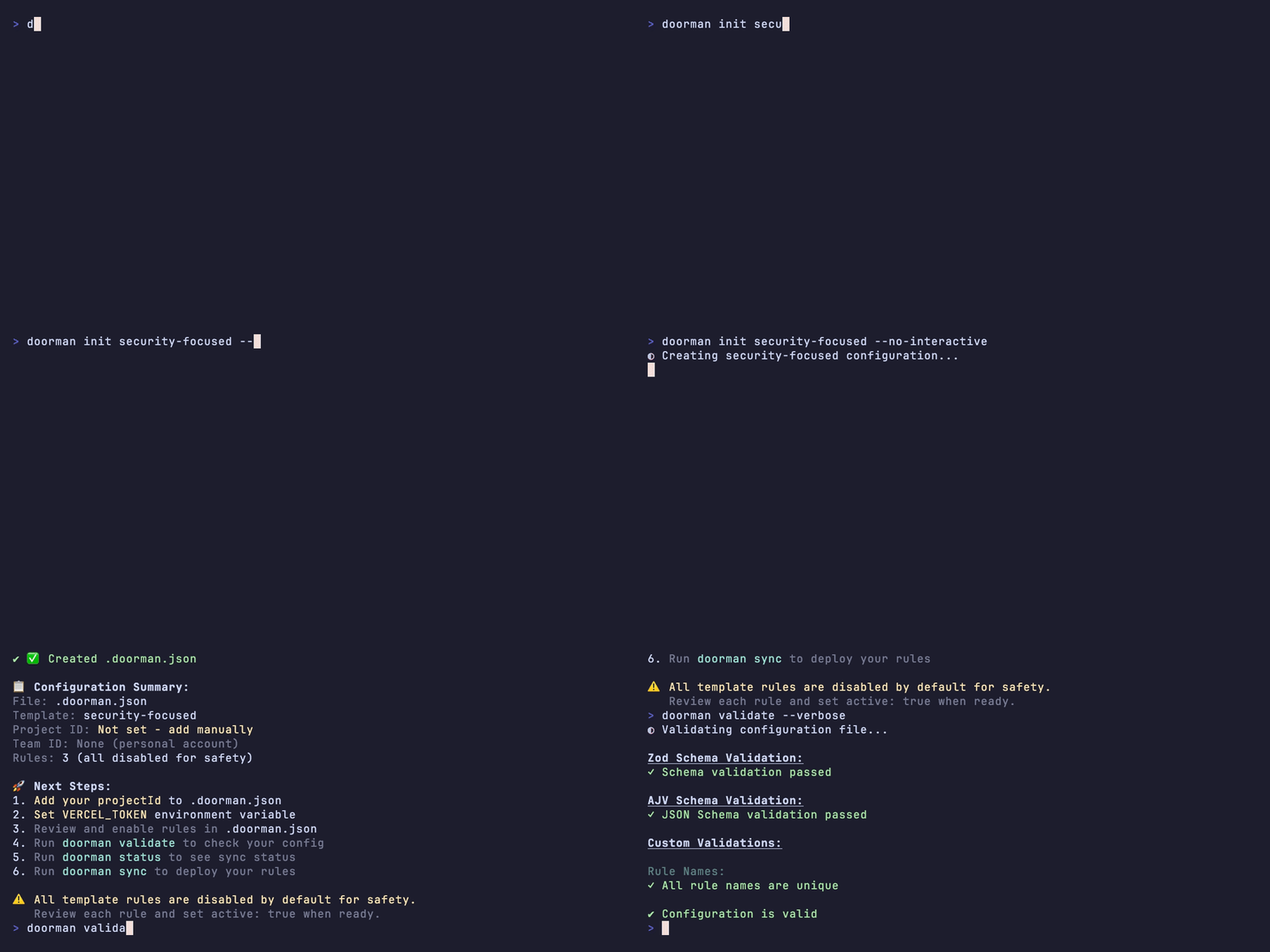
init security-focused scaffolds a new config pre-loaded with a security-minded rule set. Validate it, then sync when ready.
npx @gfargo/doorman init security-focused
Use templates
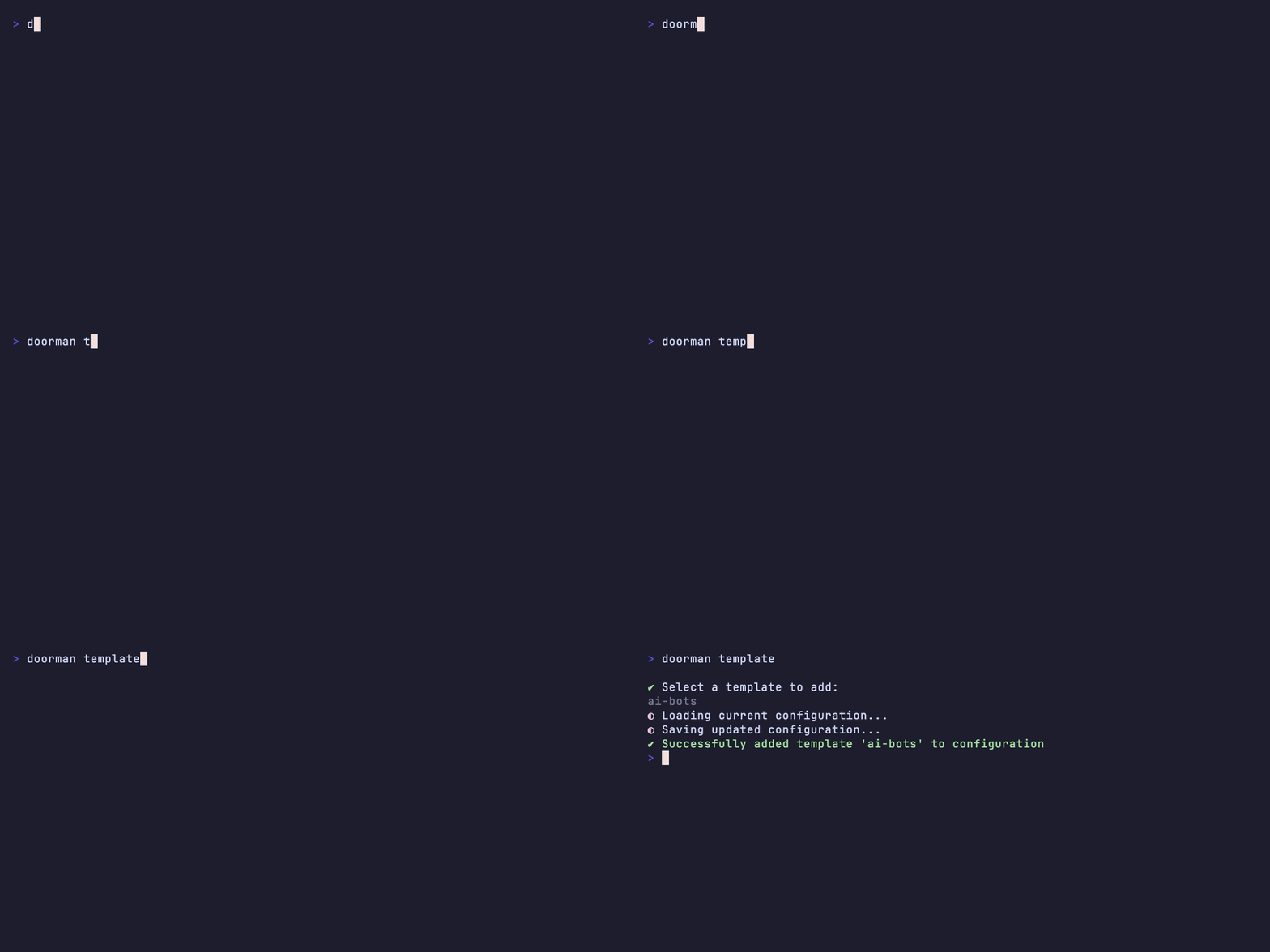
Start new protections from templates tuned for Vercel, Cloudflare, and Fastly. Customize and extend policy packs as you add providers.
npx @gfargo/doorman template
Adopt existing rules
Already have rules configured by hand in the Vercel dashboard? Download them into a versioned config, validate the result, and commit. No rework required.
npx @gfargo/doorman download

Back up and restore
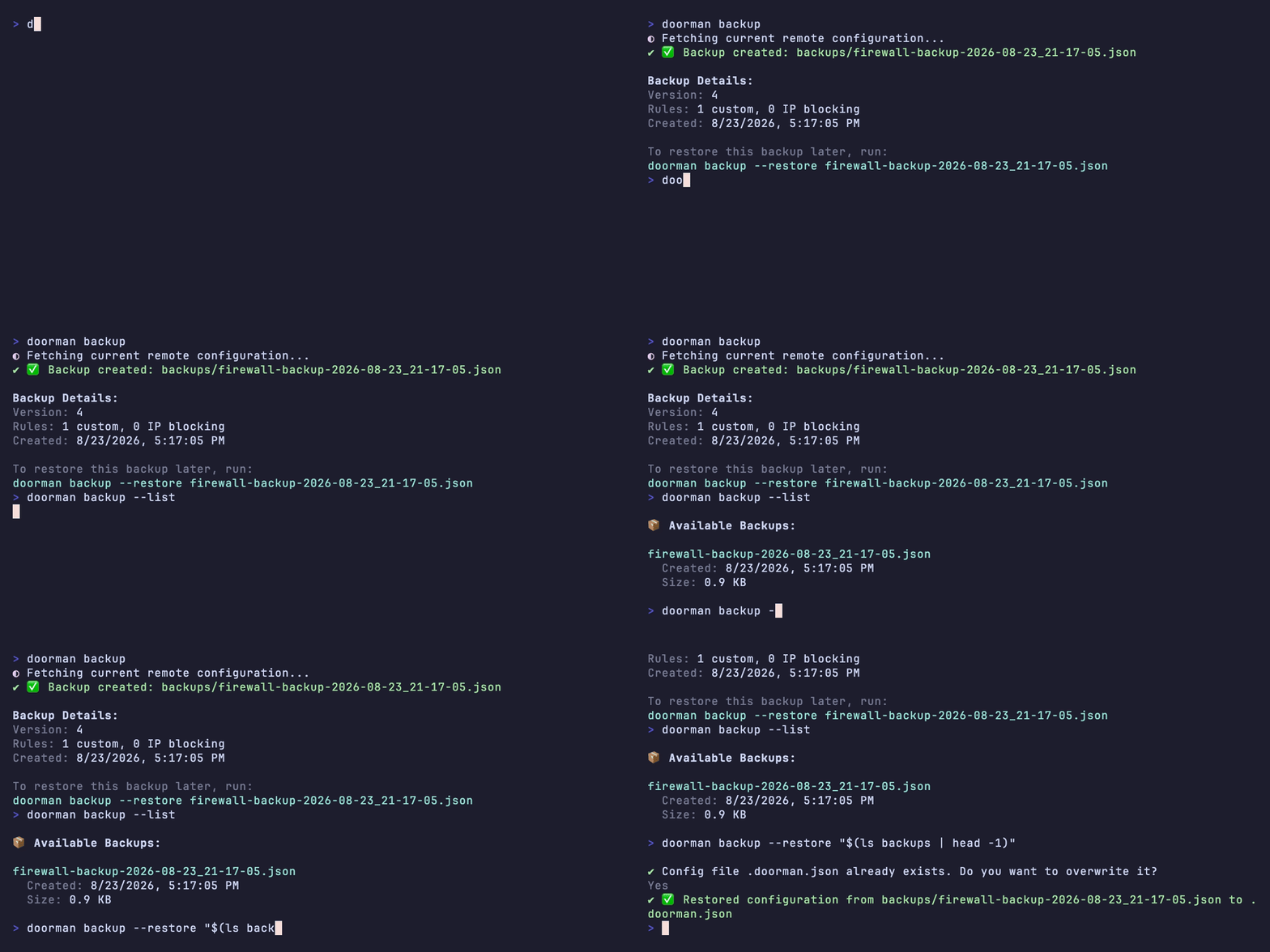
Snapshot the live remote config before a risky change. If something goes wrong, restore it with one command.
npx @gfargo/doorman backup
Export documentation
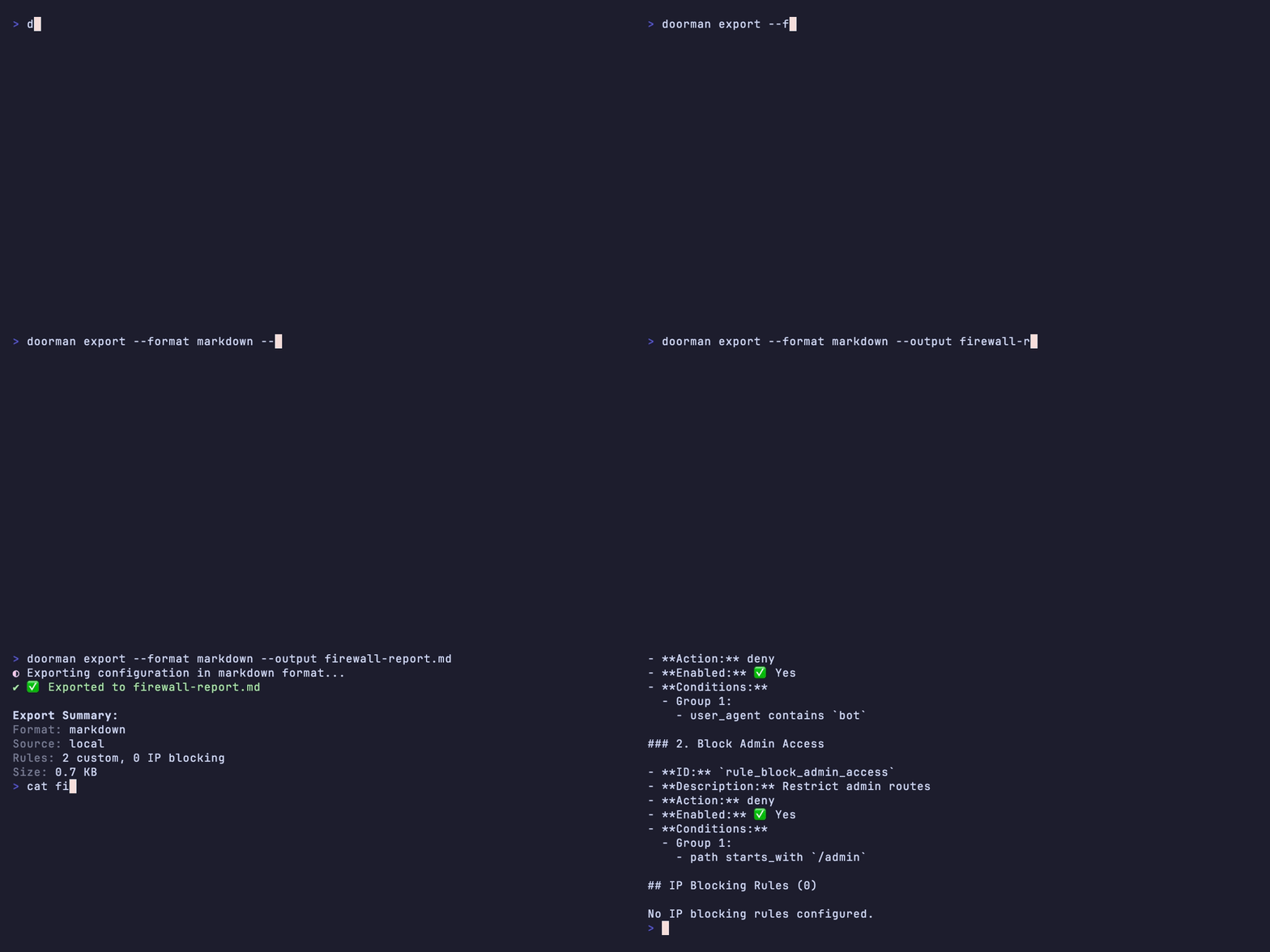
Generate a readable rule-by-rule report in Markdown, JSON, or YAML. Good for audits, pull requests, or just remembering why a rule exists.
npx @gfargo/doorman export --format markdown
Set up your WAF in four steps.
Install, initialize, connect your provider, ship. The steps don't change whether you're on Vercel, Cloudflare, or Fastly, only the credentials do.
Install
One package, works with any of the three providers below.
npm install -g @gfargo/doorman
Initialize
Scaffolds a .doorman.json in your project.
doorman init
Connect your provider
The variable names change, the shape doesn't. A token plus one or two IDs, stored however you already manage secrets.
export VERCEL_TOKEN="..."
export VERCEL_PROJECT_ID="..."
export VERCEL_TEAM_ID="..."  # optional
Nothing set yet? Doorman prompts you for credentials the first time it needs them.
Ship it
Same command, whichever provider you connected.
doorman sync
One skill. Any coding agent.
Doorman ships as an Agent Skill: a packaged set of instructions your coding agent reads before it touches a firewall rule. Install it once, then ask in plain English. Your agent runs the right doorman commands instead of guessing at flags.
Works with Claude Code, Cursor, Codex, and other Agent Skills‑compatible tools.
npx skills add gfargo/skills --skill doorman
> Block bad bots hitting /wp-login.php

Using skill: doorman
$ doorman add --interactive
$ doorman validate
$ doorman sync

✓ Added rule "Block Bad Bots"
✓ Config valid
✓ Synced to Vercel Firewall
Firewall rules are infrastructure. They belong in version control, reviewed in pull requests, and rolled back with git revert, not edited by hand in a dashboard nobody diffs.
Rules enforced.
Bring Vercel, Cloudflare, and Fastly WAF automation into the same review process you already use.